Nijin Contact

Route Planner A Day of Deliveries

Mobile App · Prototype

A delivery app for a driver with a hundred-odd stops in a day, designed to hold the whole day rather than the next turn: import, fix, drive, prove, recap.

This is a prototype build: a real iPhone app in SwiftUI, on mock data, with the map drawn from scratch.
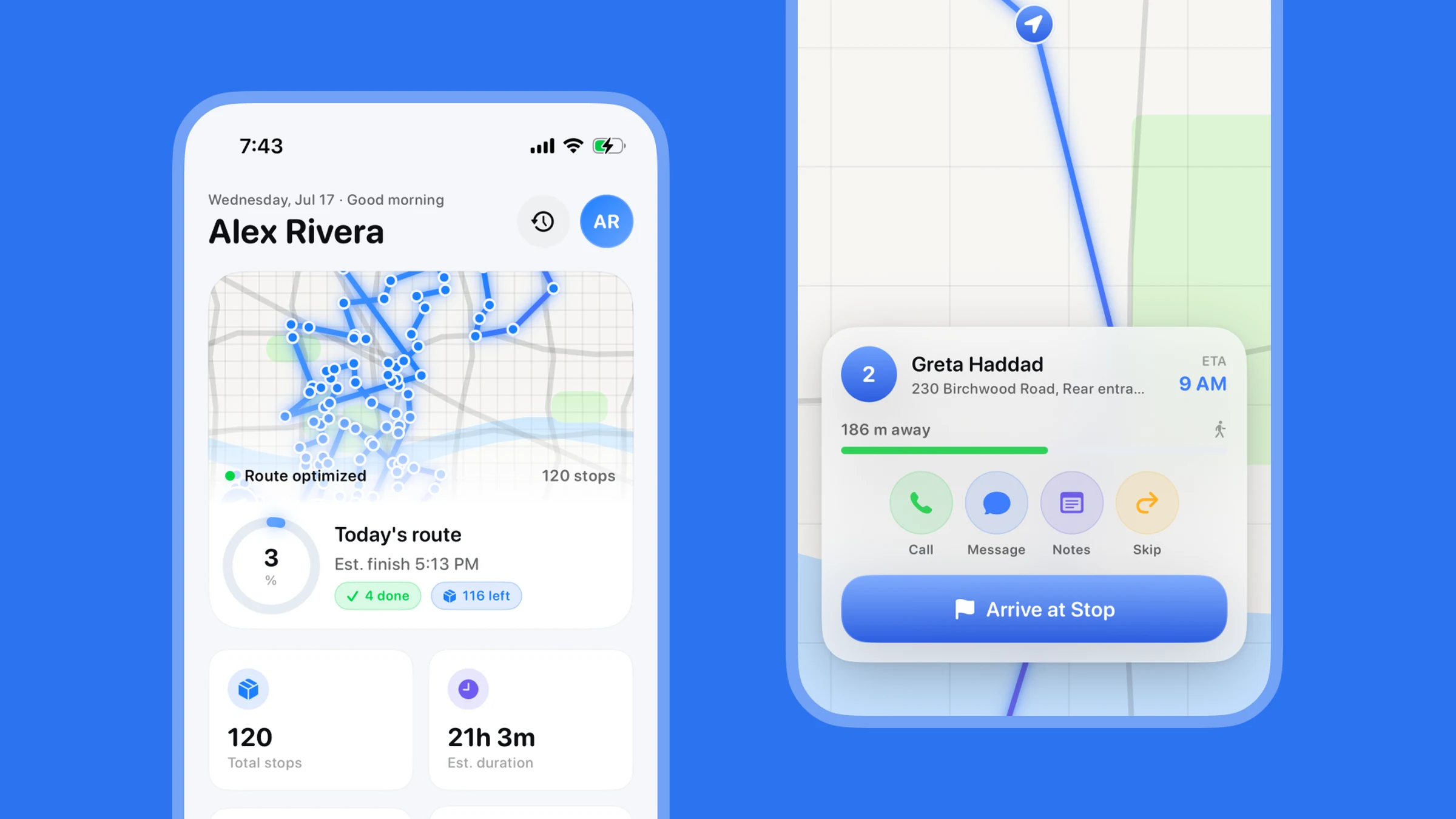
Route Planner home, with today's route and progress, beside the stop card on the live map
The day so far, and the stop in front of you.

Home is the whole day

One screen answers the only two questions a driver has before setting off: how much is left, and when does it end.
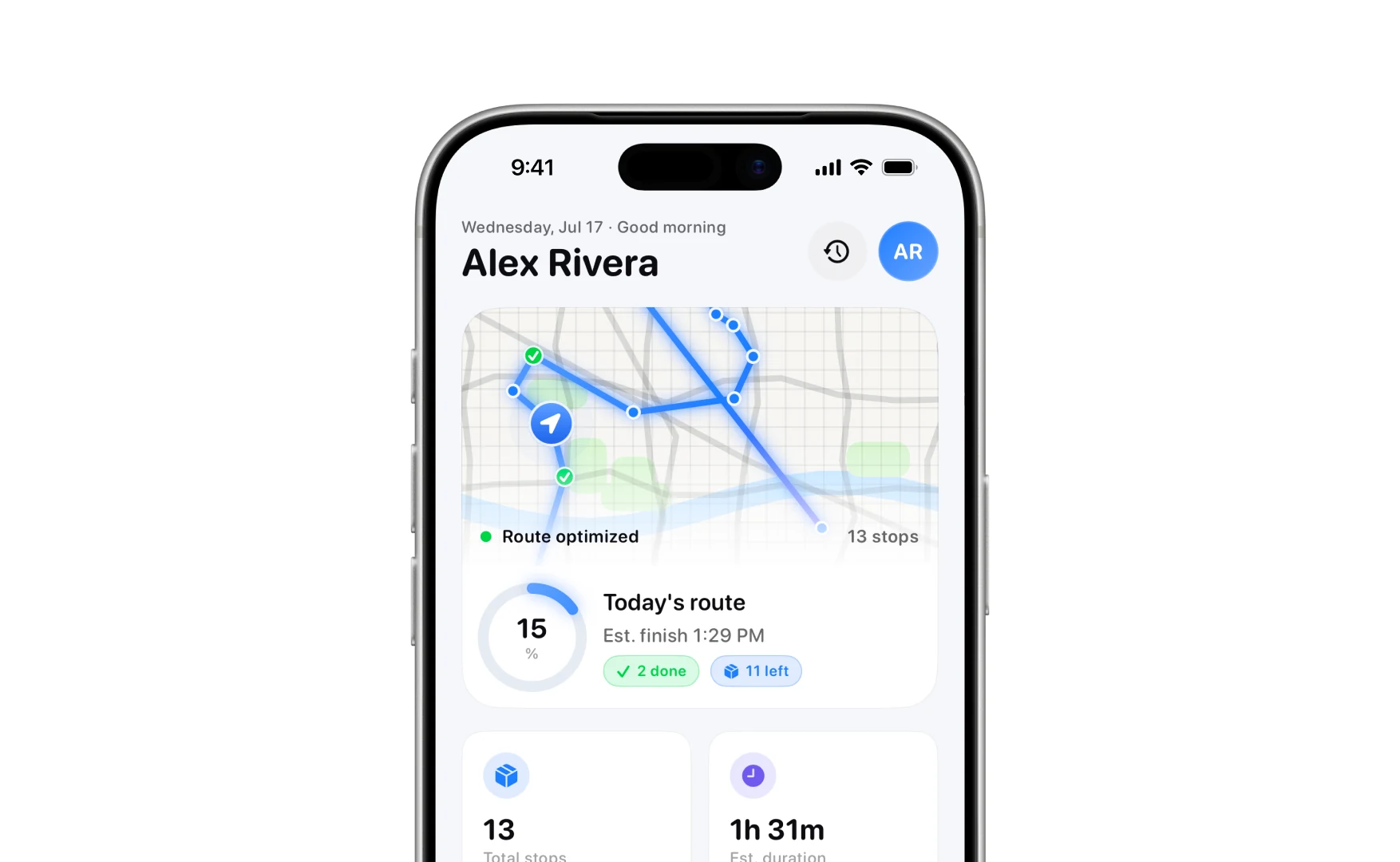
The home screen: a greeting, the route drawn on a map, and a progress ring reading 15 per cent with two done and eleven left
Today, at the top.

Under it the day is four numbers, the van and its fuel, and one button that carries on where you stopped.
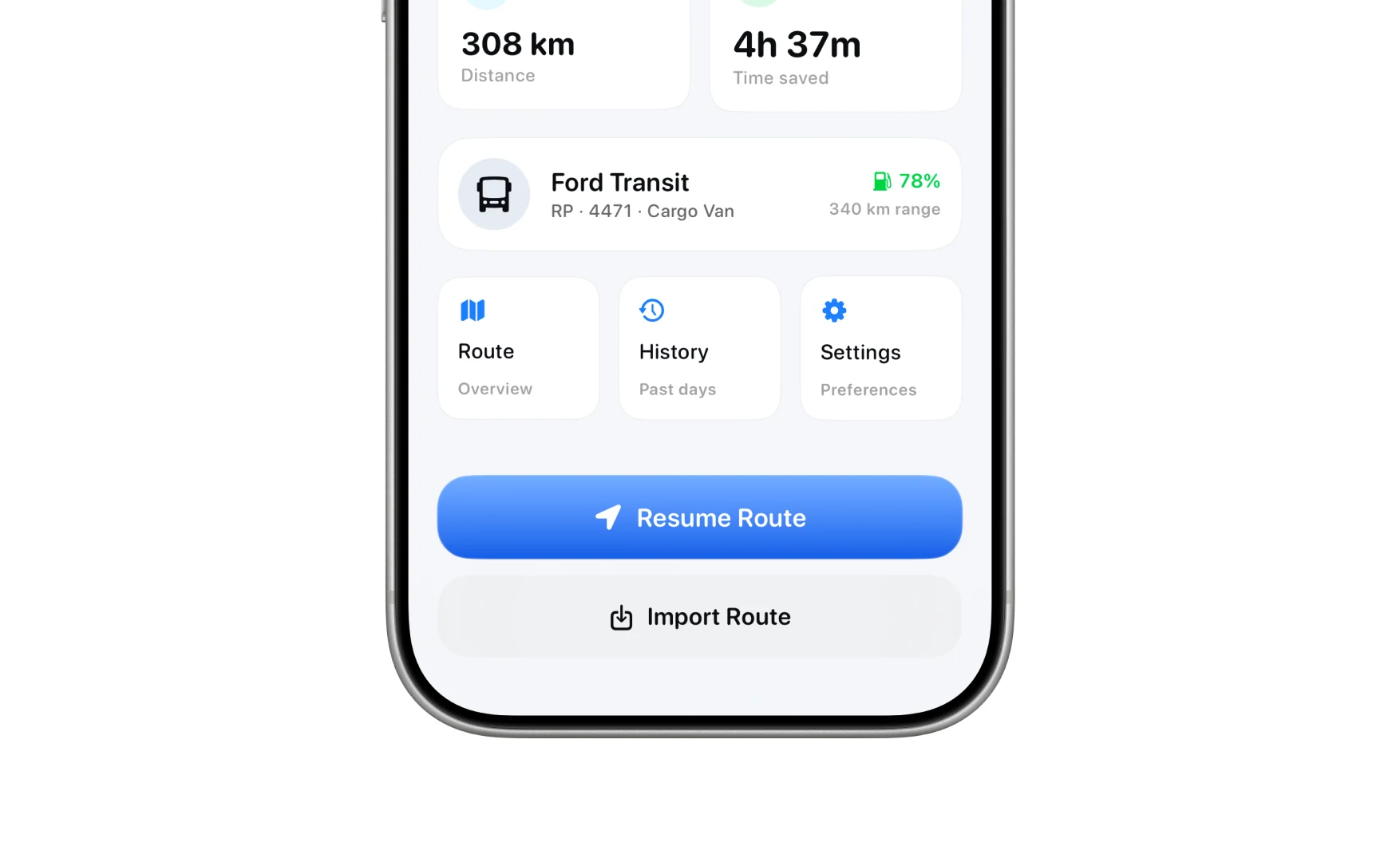
Stat tiles for stops and duration, the vehicle card with fuel level, and the Resume Route and Import Route buttons
Stats, the van, and the way back in.

Getting the stops in

A dispatcher sends a spreadsheet, but a driver at the depot has a label in front of them and both hands full. So there are five ways in, and the fastest one is whichever is fastest right now.
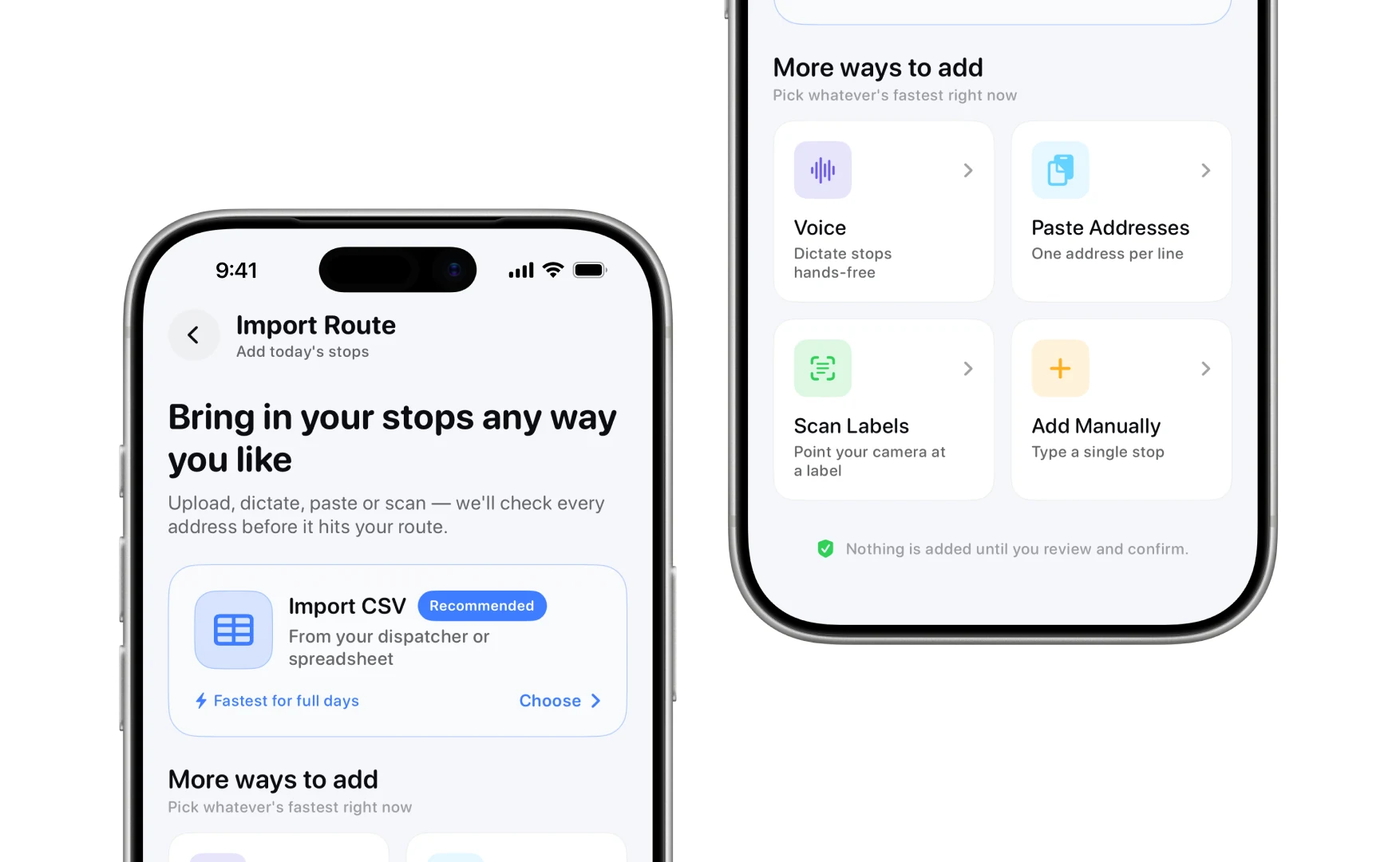
The import screen offering CSV, voice, pasted addresses, label scanning and manual entry, with a note that nothing is added until you confirm
Five ways in, and nothing is added until you confirm.

Every address is checked before it can join the route, and the ones that fail say what is wrong with them rather than being dropped quietly.
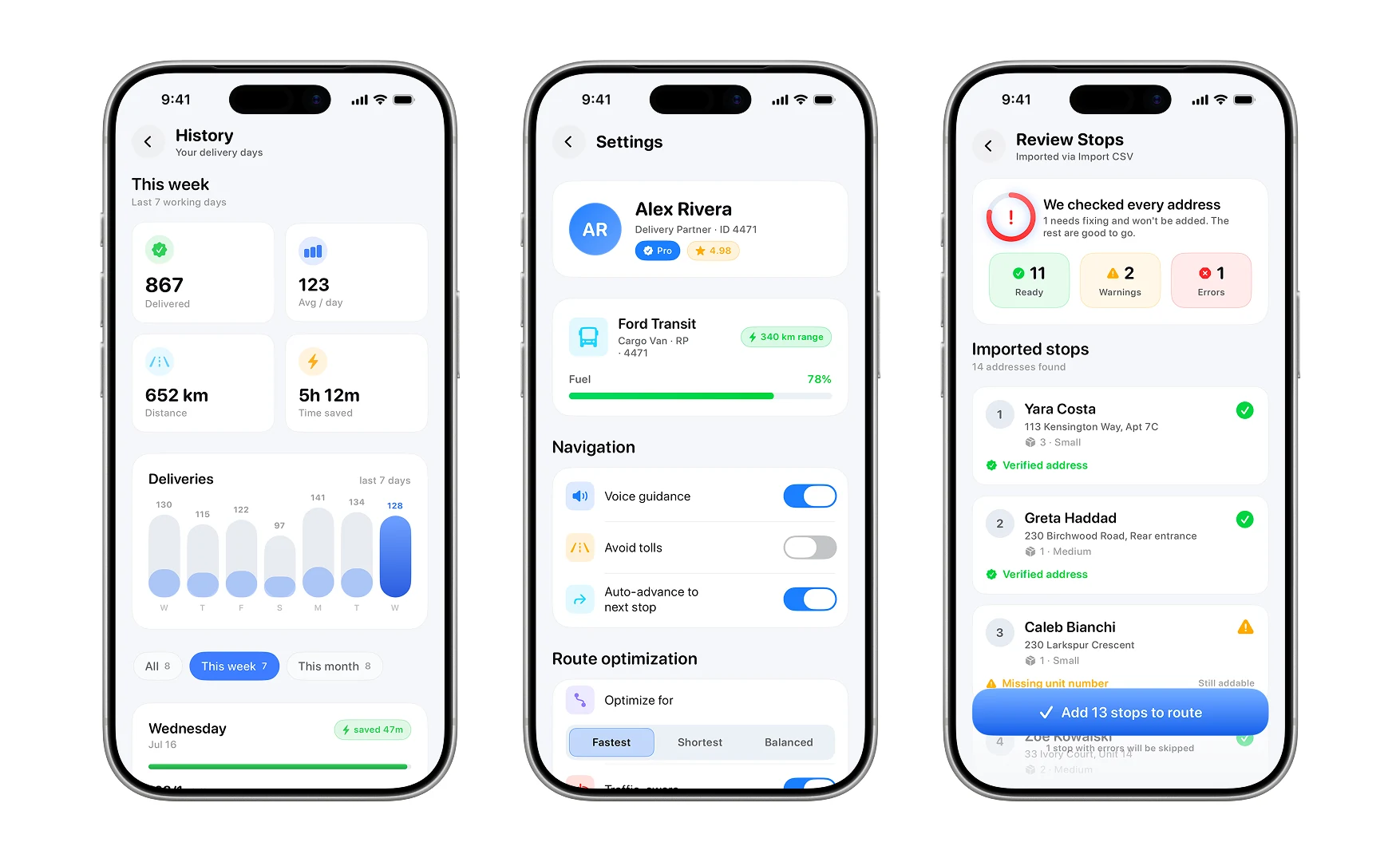
History, settings, and the review screen showing eleven ready, two warnings and one error before adding thirteen stops
History, settings, and the check before the route exists.

Then it is a list you can scope (everything, still pending, priority, already delivered) with the next stop held in place.
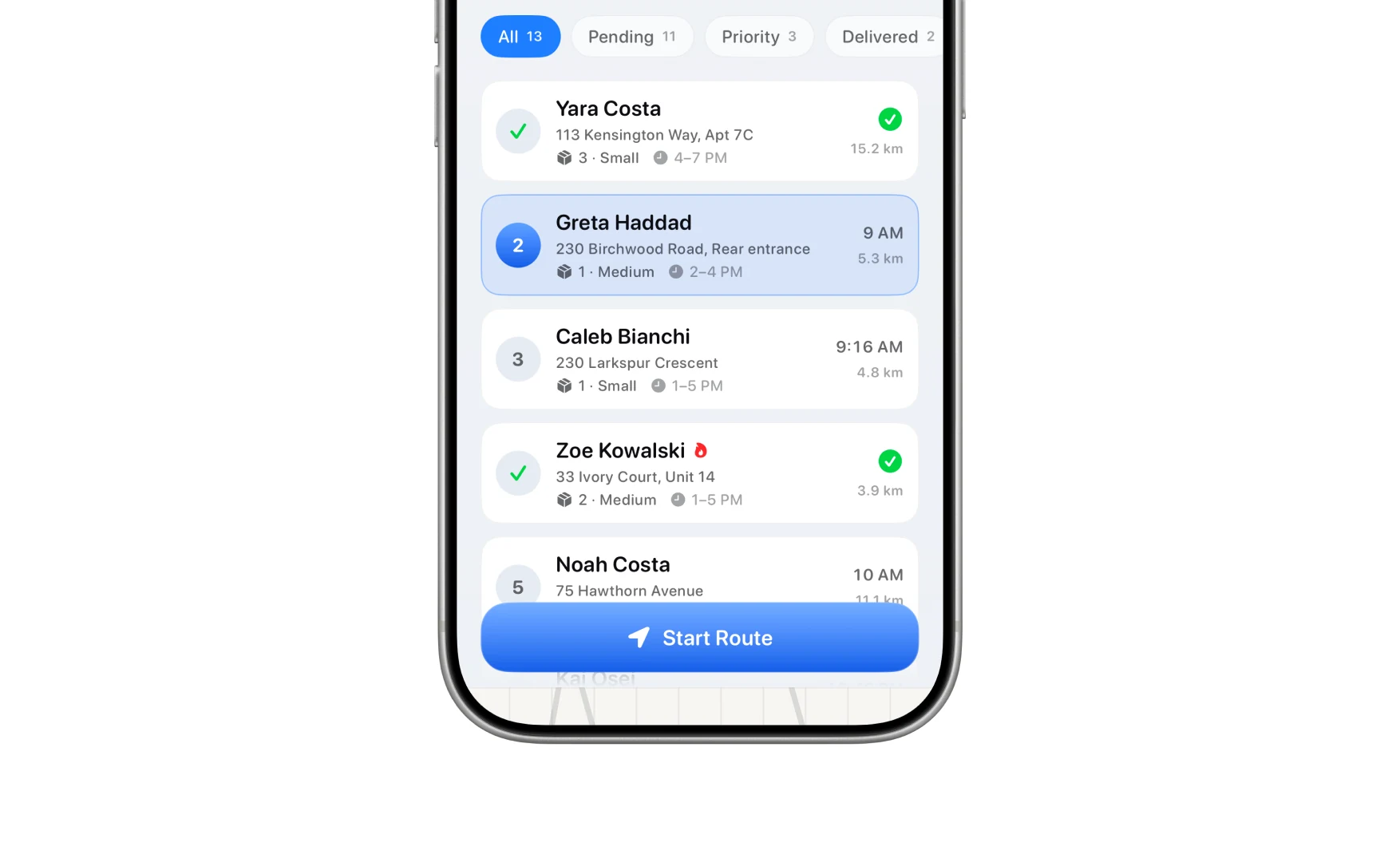
The stop list with All, Pending, Priority and Delivered filters, and the Start Route button
The stops, and the button that starts the day.

Driving it

At the stop the card is reachable with a thumb: who it is, how far, and the four things you might need before you get out.
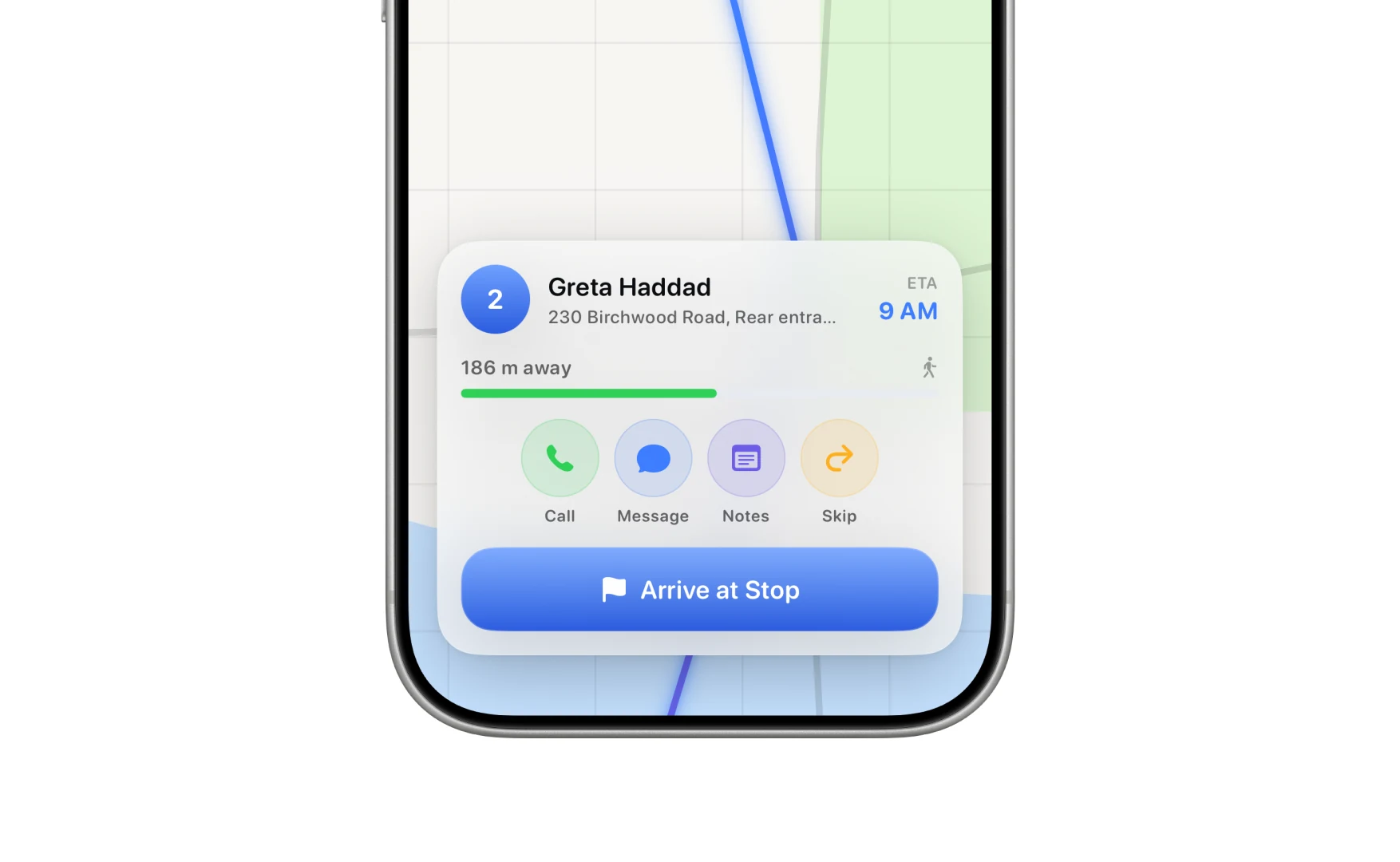
The arrival card showing the stop name, distance remaining, call, message, notes and skip, and the Arrive at Stop button
Arriving.

Settings, kept small

Three things worth changing and nothing else: what to optimise for, what counts as proof, and how it looks.
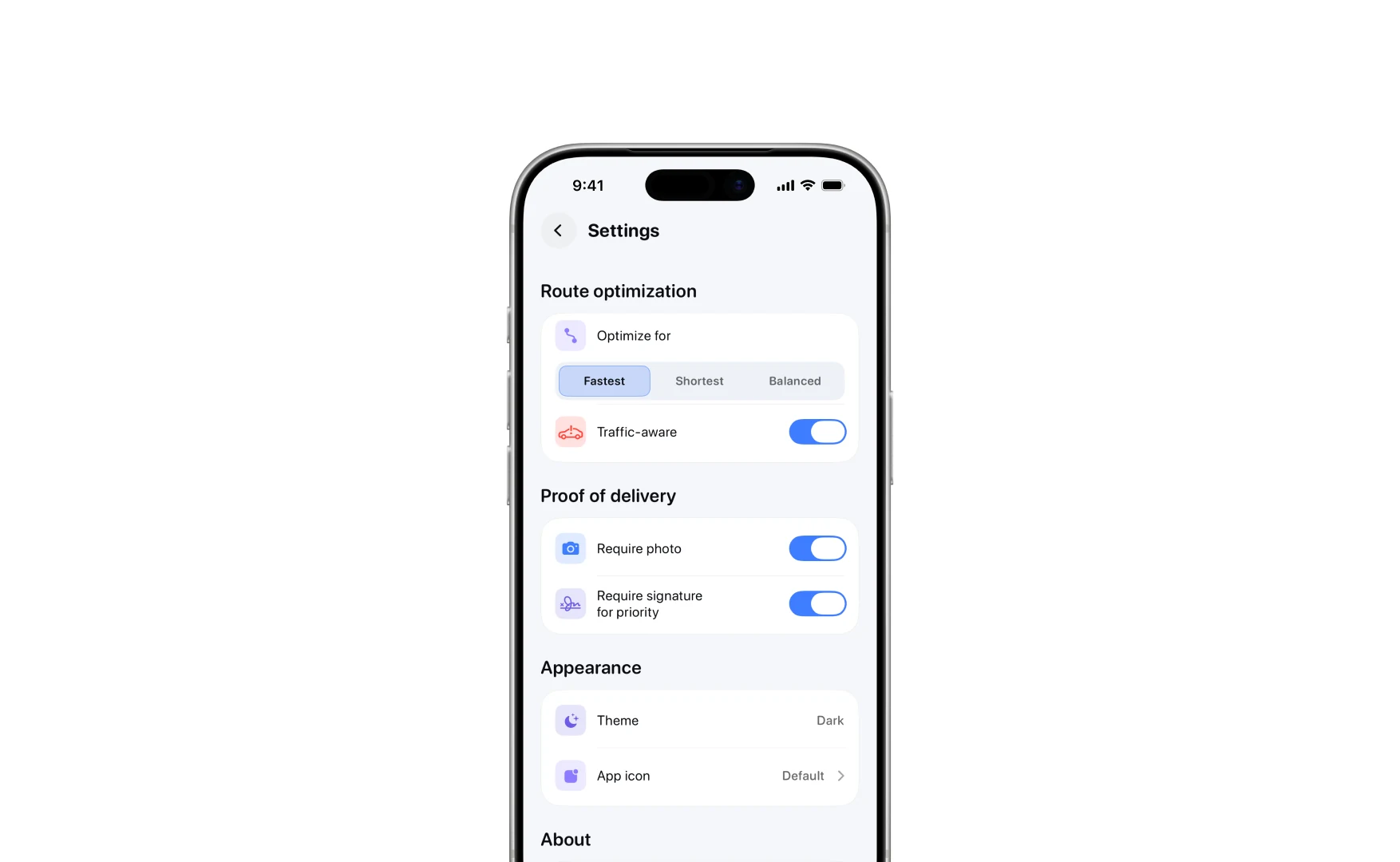
Settings: optimise for fastest, shortest or balanced, traffic awareness, photo and signature proof, and appearance
Settings.

Dark

The app is dark-first, and a delivery day mostly starts before it is light.
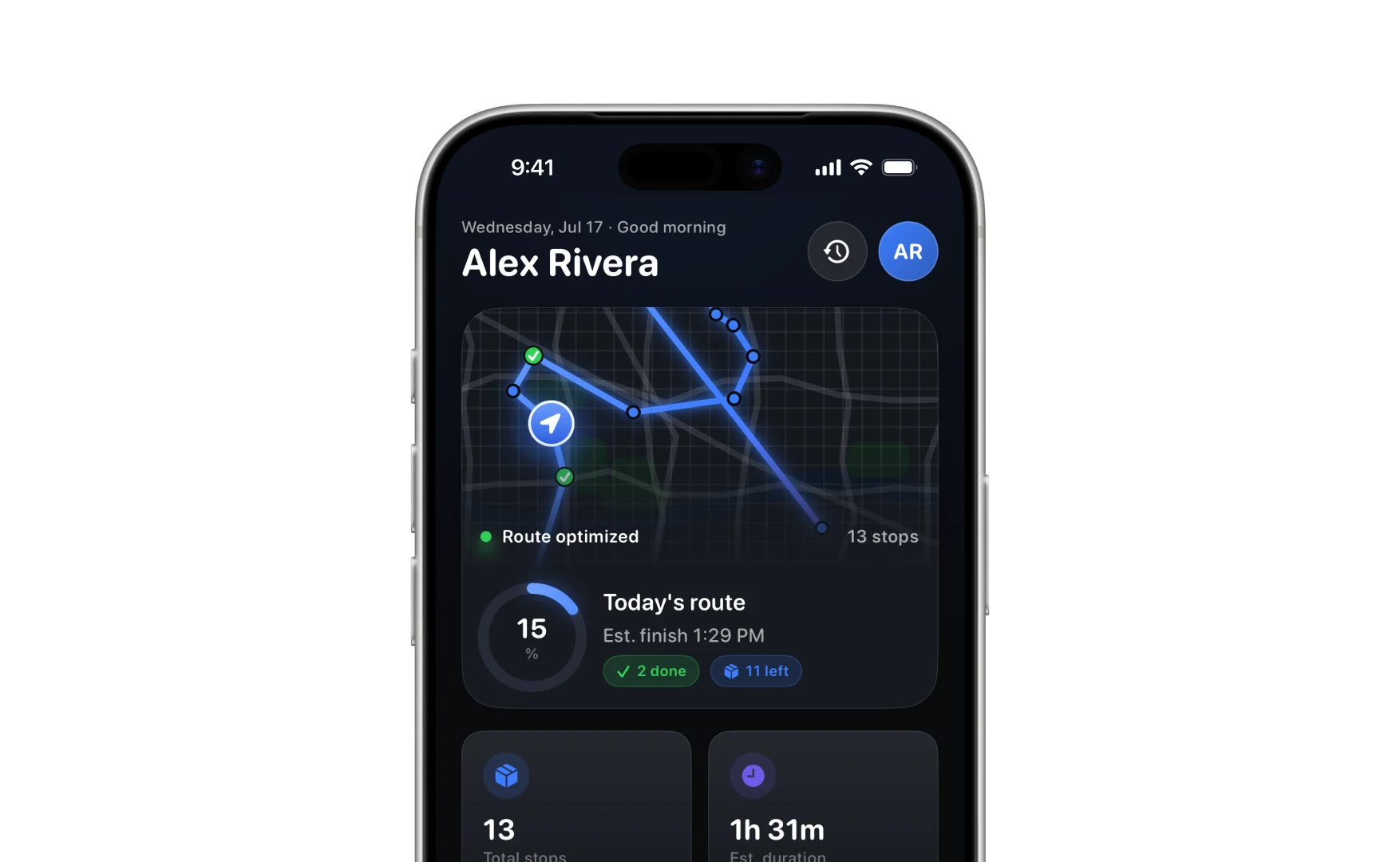
The same home screen in dark mode, with the route on a dark map
Home, dark.
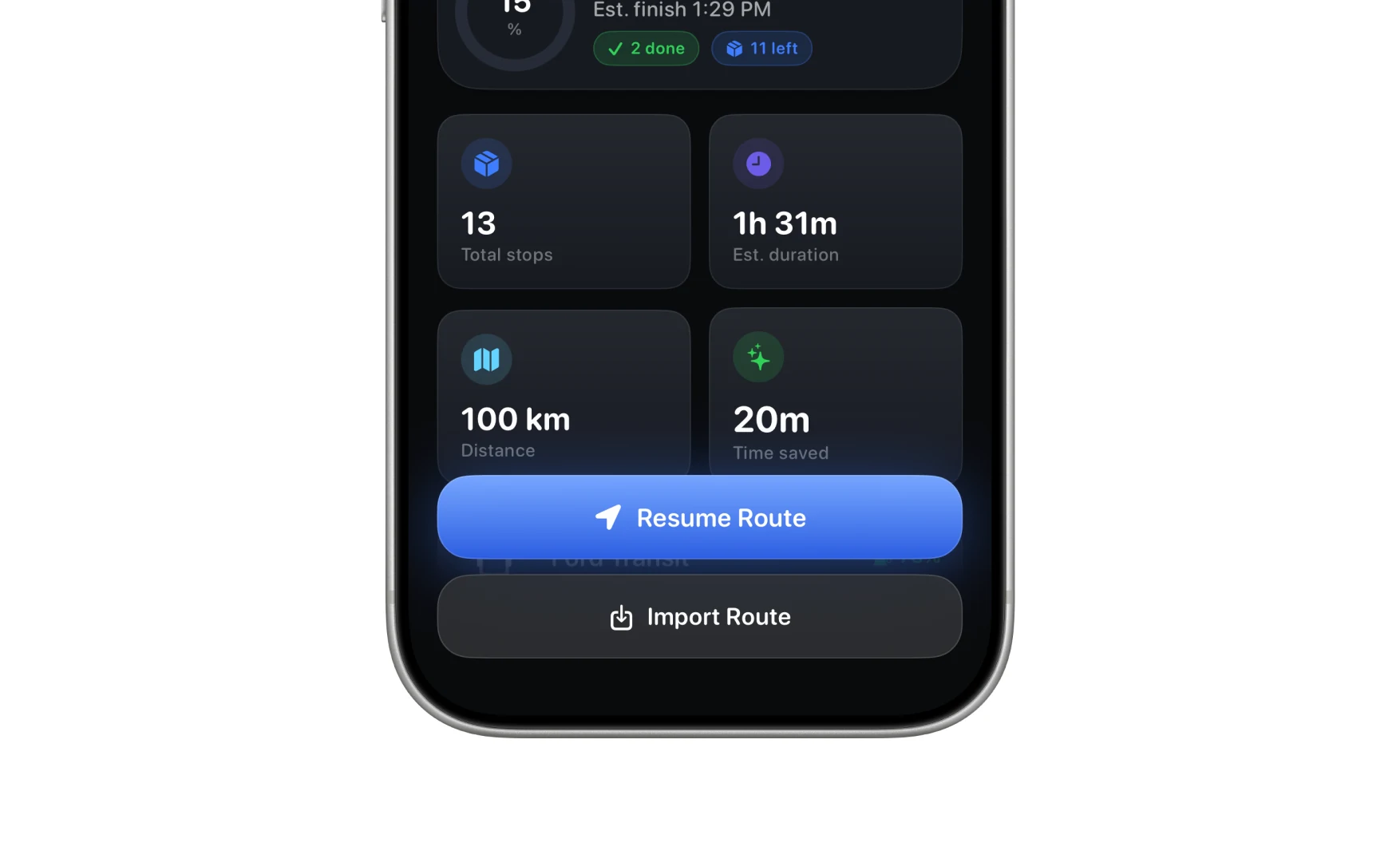
The stat tiles and Resume Route button in dark mode
And the tiles under it.

Driving, delivering and looking back all hold together in it, and the proof sheet is where a theme usually falls apart.
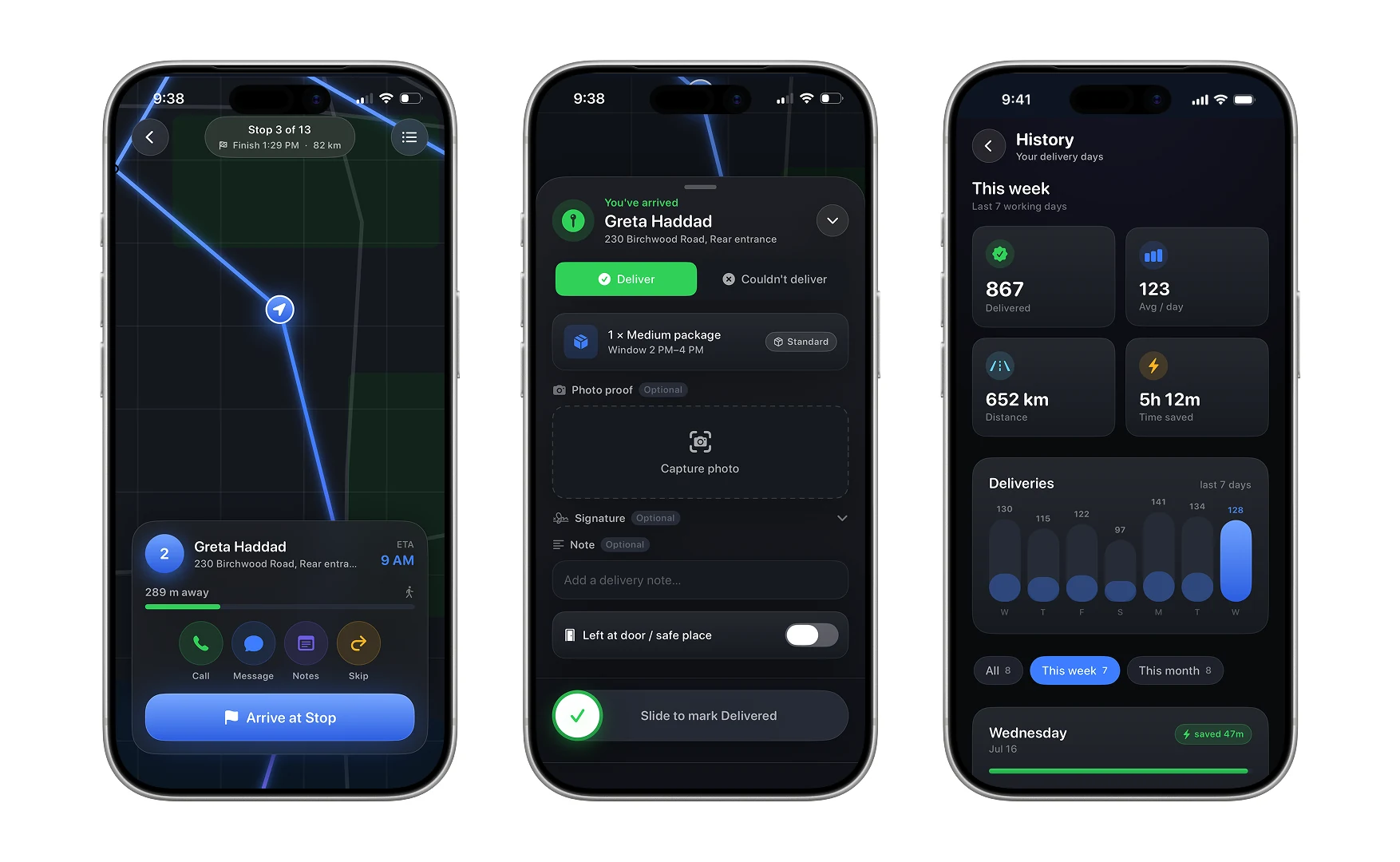
Dark mode navigation, the delivery proof sheet with photo and signature, and the history screen
Driving, delivering, and the week behind you.

The map, the route line and the accent survive the switch. Only the surfaces move.
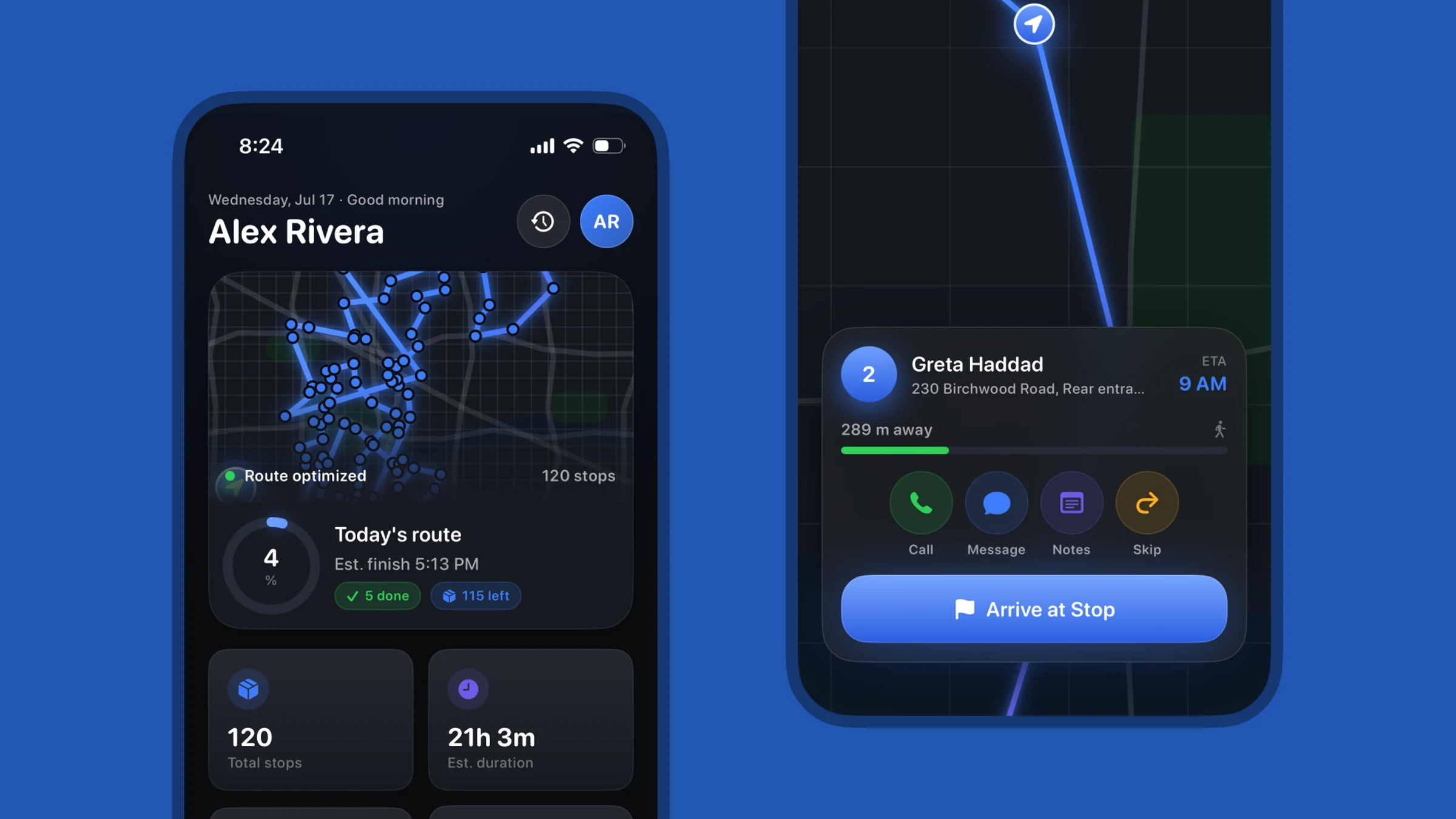
The same home screen and stop card in dark mode
The same pair, dark.